Voice expense tracker for iPhone
“Coffee, five euros.”
Logged.
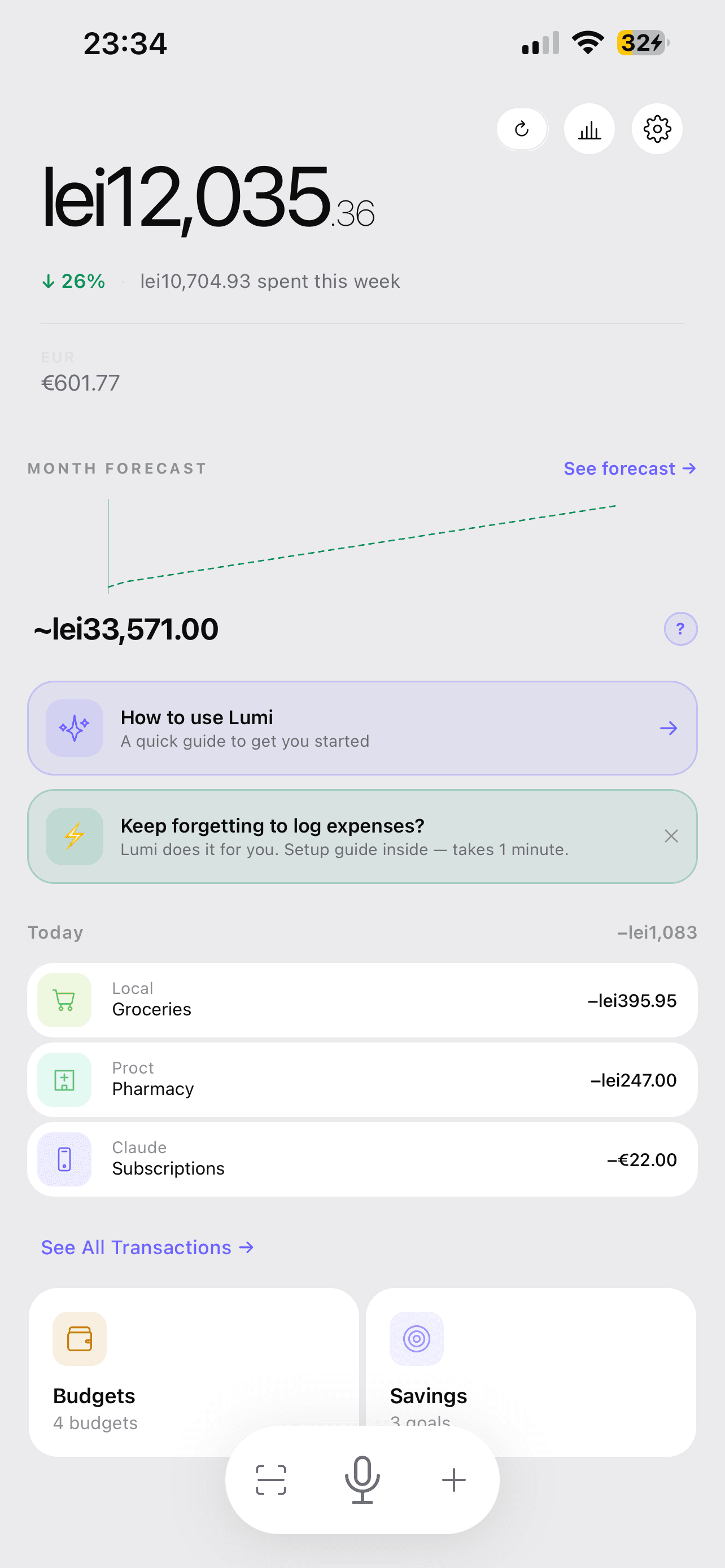
Say an expense out loud — Lumi's AI logs the amount, merchant, and category. Apple Pay imports the rest automatically, and the forecast shows your month-end balance before you overspend.

Scan to download on your iPhone

2 sec
to log via Back Tap
0 taps
with Apple Pay
150+
currencies
0 banks
connected. Ever.
2 sec
to log via Back Tap
0 taps
with Apple Pay
150+
currencies
0 banks
connected. Ever.
Tired of apps that just show you charts?
“Manual entry is homework nobody wants to do”
Scan a receipt in 2 seconds. AI reads amount, date, merchant, items — in any language.
“I don't want to give my bank credentials to an app”
Lumi never asks for bank access. Your data stays on your device.
“I travel — my budget app only works in USD”
Track expenses in dollars, euros, yen — any currency. Auto-conversion at real rates.
1 tap. Seconds. Done.
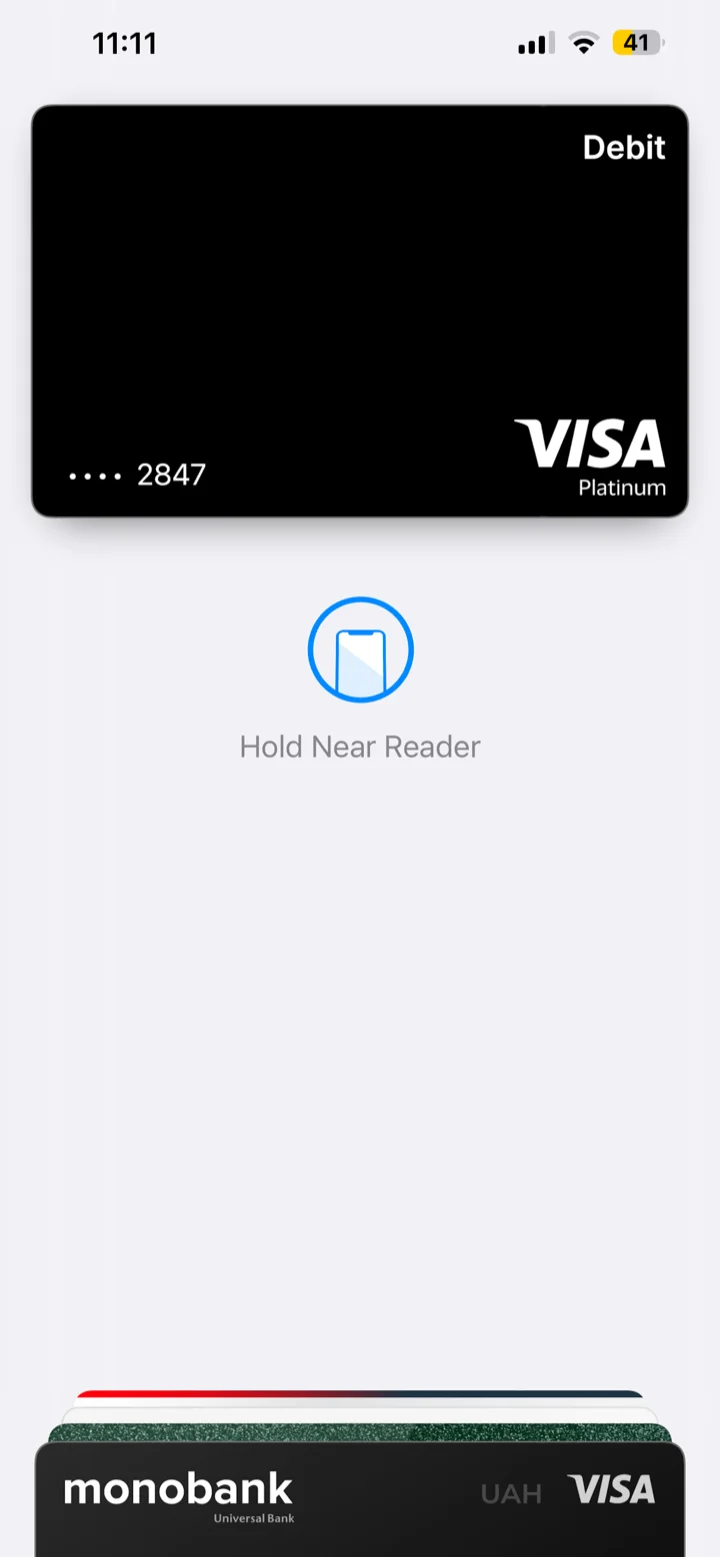
Tap to pay
Pay with Apple Pay like you always do. No extra app, no unlocking.
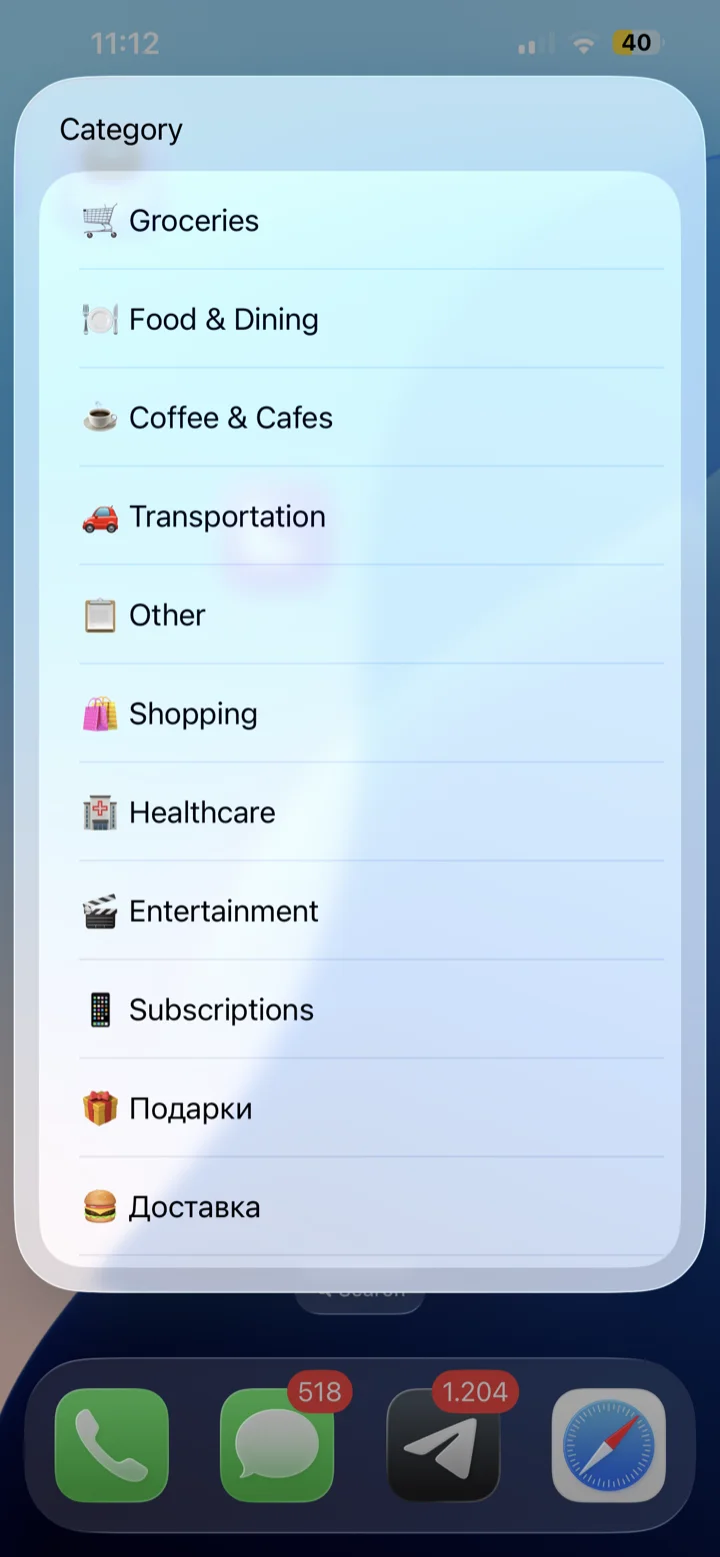
Lumi picks it up instantly
The expense appears with a category already suggested — tap to confirm.
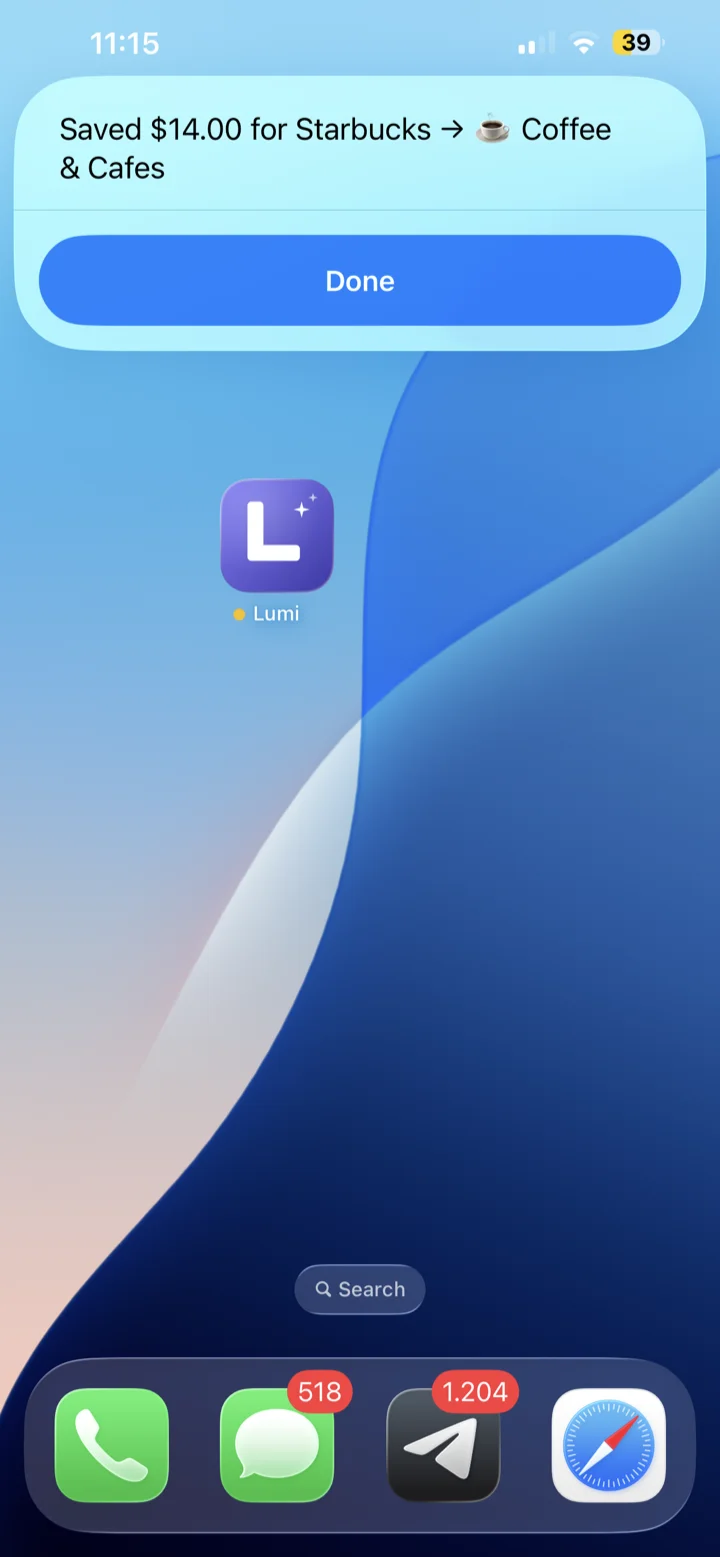
Done
Saved, categorized, and added to your forecast automatically.
What makes Lumi different
Logging that disappears
when you don't need it.
Back Tap logging
Double-tap the back of your iPhone. No unlocking, no finding the app. Lumi opens in recording mode — expense logged in under 3 seconds.
2 sec
avg. log time
Apple Pay auto-import
Pay contactless. The expense appears in Lumi automatically — amount, merchant, timestamp. Zero manual entry required.
0 taps
manual entries
AI Spending Forecast
Lumi compares your current spend rate against 3 months of history and shows exactly where you'll land — 7–10 days before month-end.
Receipt Scanner
Point at any receipt — paper or screen. AI reads amount, date, merchant, and category in seconds. Works in any language.
Voice Input
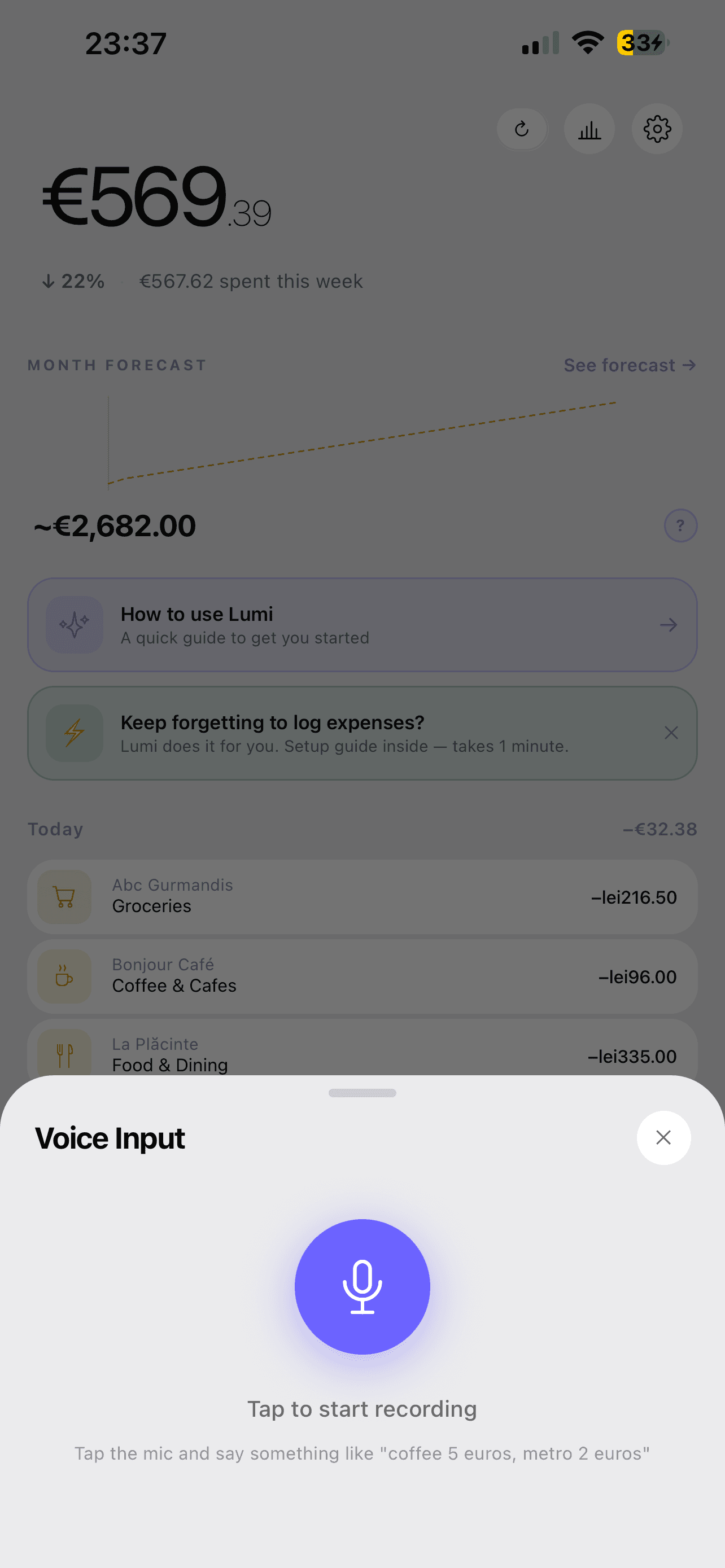
Tap the mic and say "coffee 5 euros." AI parses the amount, merchant, and category from natural speech — no typing.
Category Budgets
Set monthly limits per category. Lumi tracks live progress and warns you before you overspend — not after.
150+ currencies
Real-time conversion. Track in multiple currencies simultaneously. Perfect for travel or multi-currency income.
Family Sharing
Budget better,
with your partner.
Invite your partner to Lumi Premium. Every transaction gets tagged with who added it — so you always know who spent what, without asking.
+20%
more likely to hit savings goals together
2×
faster progress toward shared goals
68%
report fewer arguments about money
5 min
to set up and start budgeting together
Illustrative figures, not guaranteed results.
New — Voice Input
Don't type it.
Just say it.
Tap the mic and talk like you would to a friend. Lumi's AI pulls out the amount, merchant, and category — no forms, no menus, no typing.
You say
“Coffee, five euros. Metro, two euros.”
- No typing, no category menus
- Works in multiple languages
- Logs amount, merchant, and category in one go
Your dashboard
Everything in one glance
Balance, spending by category, and an AI insight — synced across your devices.
Balance
All timeLooking good!
You've spent 38% of your income this month — right on track.
Spending by category
How Lumi compares to other budget apps
| Feature | Lumi | YNAB ($109/yr) | Monarch ($100/yr) | Copilot ($96/yr) | Wally ($40/yr) |
|---|---|---|---|---|---|
| Back Tap logging | ✓ | — | — | — | — |
| Apple Pay auto-import | ✓ | — | — | — | — |
| AI Spending Forecast | ✓ | — | — | Basic | — |
| AI Receipt Scanning | ✓ | — | — | — | Basic OCR |
| Voice input logging | ✓ | — | — | — | — |
| Bank login required | Never | Required | Required | Required | Required |
| Works offline | ✓ | — | — | — | — |
| Data stored on device | ✓ | Cloud | Cloud | Cloud | Cloud |
| Price | Free / $4.99/mo | $109/yr | $100/yr | $96/yr | $40/yr |
Built by a solo developer.
Loved by people who hate spreadsheets.
“Manual entry is homework nobody wants to do”
— r/personalfinance
That's why Lumi scans receipts. Zero typing.
“Why do all budget apps want my bank login?”
— r/YNAB
Lumi doesn't. Your data stays on your phone.
“I travel constantly and no app handles multiple currencies well”
— r/digitalnomad
Lumi tracks any currency with auto-conversion at real rates.
Analyzed 18 competitors. Lumi is the only app combining AI scanning + multi-currency + privacy.
Start free. Upgrade when you're ready.
Free
Everything to get started
- 10 AI receipt scans / month
- 2 budgets
- Basic analytics
- Unlimited manual entries
- Back Tap quick logging
- Voice input logging
- 1 primary + 1 additional currency
Premium
Unlock everything
- Apple Pay auto-import
- Unlimited AI receipt scans
- Unlimited budgets
- Full multi-currency (150+ currencies)
- AI Spending Forecast
- Advanced analytics + period comparison
- PDF / CSV / JSON export
- Priority support
Start for free
Your next expense
logs itself.
Set up Apple Pay import once. Enable Back Tap. Then forget about manual logging forever.
Learn to spend smarter
How to Export Apple Pay Transactions (CSV, Spreadsheet, or Budget App)
Wallet has no export button for Apple Pay. Four ways that work: your bank's CSV, Apple Card statements, a free Shortcut that logs every tap, or a tracker.
How to Log an Expense Right After You Pay (Without Opening an App)
The easiest moment to record a purchase is the second after you pay. How to log each Apple Pay payment in one tap on iPhone, and what to do for cash and cards.
Best Offline Budget Apps (2026): Track Spending Without the Cloud
The best offline budget apps track spending without internet or a bank link. What to look for and how to choose one you will actually keep using.