What Is MCP (Model Context Protocol)? A Plain-English Guide
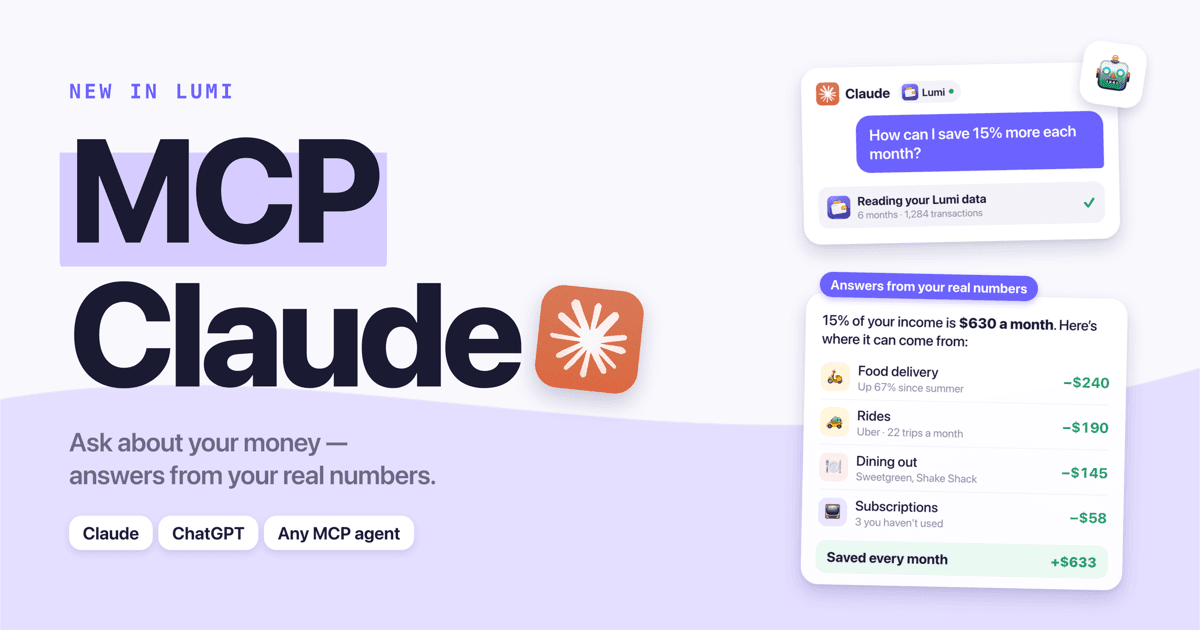
MCP, short for Model Context Protocol, is an open standard that lets AI assistants connect to other apps and data sources. Think of it as a universal plug: an app exposes an "MCP server," and any AI that speaks MCP — Claude, ChatGPT, Cursor, VS Code and many more — can use it to look things up or take actions on your behalf, with your permission.
Anthropic introduced MCP in late 2024 as an open specification, and it was quickly adopted across the industry, including by OpenAI. Today it's the most common way to give an AI assistant access to your own data — your calendar, your documents, or, in Lumi's case, your budget.
Why MCP exists
Large language models only know what they were trained on and what you type into the chat. They don't know your schedule, your files or your spending. Before MCP, every AI product had to build a custom integration for every app — and every app had to build one for every AI. That doesn't scale.
MCP replaces that with one shared language. An app builds one MCP server, and it works in every MCP-compatible assistant. An assistant supports MCP once, and it can use thousands of servers. It's often compared to USB-C: one port, many devices.
How MCP works, in plain English
There are three pieces:
| Piece | What it is | Example |
|---|---|---|
| Host / client | The AI app you chat with | Claude, ChatGPT, Cursor |
| MCP server | A small service an app runs to expose its data or actions | Lumi's server at lumi.herman-apps.com/api/mcp |
| Tools | Named functions the server offers, each with a description | "get spending by category", "list transactions" |
When you ask a question, the AI reads the descriptions of the tools available to it and decides which ones to call. The server runs the tool and returns structured results. The AI then uses those results to write its answer — and can call more tools if it needs to dig deeper.
For example, if you ask a connected assistant "Why did I spend more in October?", it might:
- Call a monthly summary tool to compare October with previous months.
- Notice dining out jumped, then call a category tool for October.
- Call a transactions tool filtered to dining out to see which places drove it.
- Answer: "You spent $310 more, mostly from eight restaurant visits in the second half of the month…"
Local vs. remote MCP servers
- Local servers run on your own computer and are mostly used by developers (for example, to give an AI access to files in a project).
- Remote servers run on the internet, like a website. You add them by URL, sign in with OAuth, and they work across your devices — including in web and mobile AI apps. Consumer connectors, including Lumi's, are remote.
Is MCP safe?
MCP itself is just a protocol; safety depends on how each server is built and what you allow. Things to look for before connecting any MCP server to personal data:
- Read-only vs. write access. Can the AI only read, or can it also change things? A read-only server is far lower risk. Lumi's financial connector is read-only.
- Proper sign-in. A good remote server uses OAuth, so the AI gets a limited token rather than your password.
- Scope. The server should only return your data, and only what's needed for its purpose.
- Who runs it. Prefer servers from the company that already holds your data over unknown third parties.
- Easy revocation. You should be able to disconnect at any time from the AI app's settings.
Also remember that whatever the AI reads becomes part of the conversation and is subject to the AI provider's privacy settings. That's true for anything you share with a chatbot, MCP or not. For more on financial data privacy, see what your budgeting app knows about you.
Ready to take control of your spending?
Download Free on App StoreWhat MCP means for personal finance
Money is where MCP gets genuinely useful for everyday people. Budgeting apps are good at recording and charting; AI assistants are good at reasoning and planning. MCP connects the two, so you can have a conversation with your own financial history:
- "How can I save 15% more each month?"
- "Which subscriptions am I still paying for?"
- "If I keep spending like this, when will I reach my emergency fund goal?"
Instead of generic tips, the AI answers with your actual categories, merchants and amounts. That's the idea behind Lumi's connector — here's how it works and what it can see.
How to try MCP yourself
The quickest way to see MCP in action:
- Pick an assistant that supports custom connectors — Claude (the free plan allows one) or ChatGPT on a plan with developer mode.
- Add a remote MCP server by URL — for Lumi it's
https://lumi.herman-apps.com/api/mcp. - Sign in, approve access, and ask a question that needs your data.
Then try some of these AI budgeting prompts.
FAQ
What does MCP stand for? Model Context Protocol. "Context" refers to the extra information — your data — that an AI model needs to give a useful answer.
Who created MCP? Anthropic, the company behind Claude, released MCP as an open standard in November 2024. It's now supported by many AI providers and developer tools, including OpenAI's ChatGPT.
Is MCP the same as an API? Not exactly. An API is a way for programs to talk to a specific service. MCP is a standard wrapper that describes tools in a way AI models understand, so any MCP-compatible assistant can use any MCP server without custom code.
Is MCP free? The protocol is open and free. Individual servers may require an account or subscription — for example, Lumi's connector is part of Lumi Premium.
Do I need to be a developer to use MCP? No. With remote servers, you just paste a URL into your AI app's connector settings and sign in. No installation or code.
What's the difference between an MCP connector and a ChatGPT plugin? Plugins were an earlier, ChatGPT-only approach. MCP is an open standard that works across many AI apps, so one connector serves Claude, ChatGPT and others.
New to the vocabulary of money apps too? Our personal finance glossary covers the rest.
Ready to take control of your spending?
Download Free on App Store